Subscription & Billing
Voilà charges per lesson, not a monthly subscription. You only pay for the lessons you actually teach.
Pricing
Every recorded lesson uses the same rate, whether you meet on Google Meet, Zoom, Teams, or in Voilà Classroom:
| Base fee | $1.50 per session |
| Per-minute rate | $0.0098 |
| Typical 50-minute lesson | $1.99 |
You are billed only for the minutes you teach. There is no monthly platform fee.
How you meet
| Option | What it does | What you pay |
|---|---|---|
| Bot | A cloud recording bot joins your Google Meet, Zoom, or Teams call and captures audio and video automatically. Admit the bot from the meeting lobby when it appears. Video is retained for 14 days; audio and transcript are kept. | $1.50 + $0.0098/min |
| Voilà Classroom | 1:1 video lessons inside voila.fun, with chat, board, screen, and Teaching Assistant. Recording is handled natively. Classroom is 1:1 only — group lessons run on Google Meet, Zoom, or Teams. See Group Lessons. | $1.50 + $0.0098/min |
| No Recorder | Scheduling and student management only. No recording, transcript, or AI summary. Useful for in-person lessons or students who prefer not to be recorded. | $1.50 |
Prices are shown in USD and converted to your local currency at checkout.
How Billing Works
- Each session is billed as a separate line item on your monthly invoice.
- Recorded sessions incur the $1.50 base fee plus the per-minute fee for the full session duration.
- Sessions shorter than 5 minutes are not billed.
- Your monthly invoice lists every session individually with date, duration, recording method, and cost.
- View current usage and estimated charges at any time in Admin → Usage statistics.
Free Trial
Every new tutor account starts with a 14-day free trial:
- Up to 200 free Bot or No Recorder sessions.
- Up to 80 free Voilà Classroom sessions.
- A valid credit card is required to start; billing only begins after the 14-day trial ends.
After the trial ends or your free session allocation is used, you need an active subscription to continue recording and using AI features. Activating Bot or Voilà Classroom starts your subscription.
When You Are Charged
You receive an invoice at the end of each billing cycle (monthly). All sessions from that cycle appear as individual line items. You are charged automatically via your payment method on file. Invoices are sent from hello@voila.fun or billing@voila.fun. Here is a sample invoice:
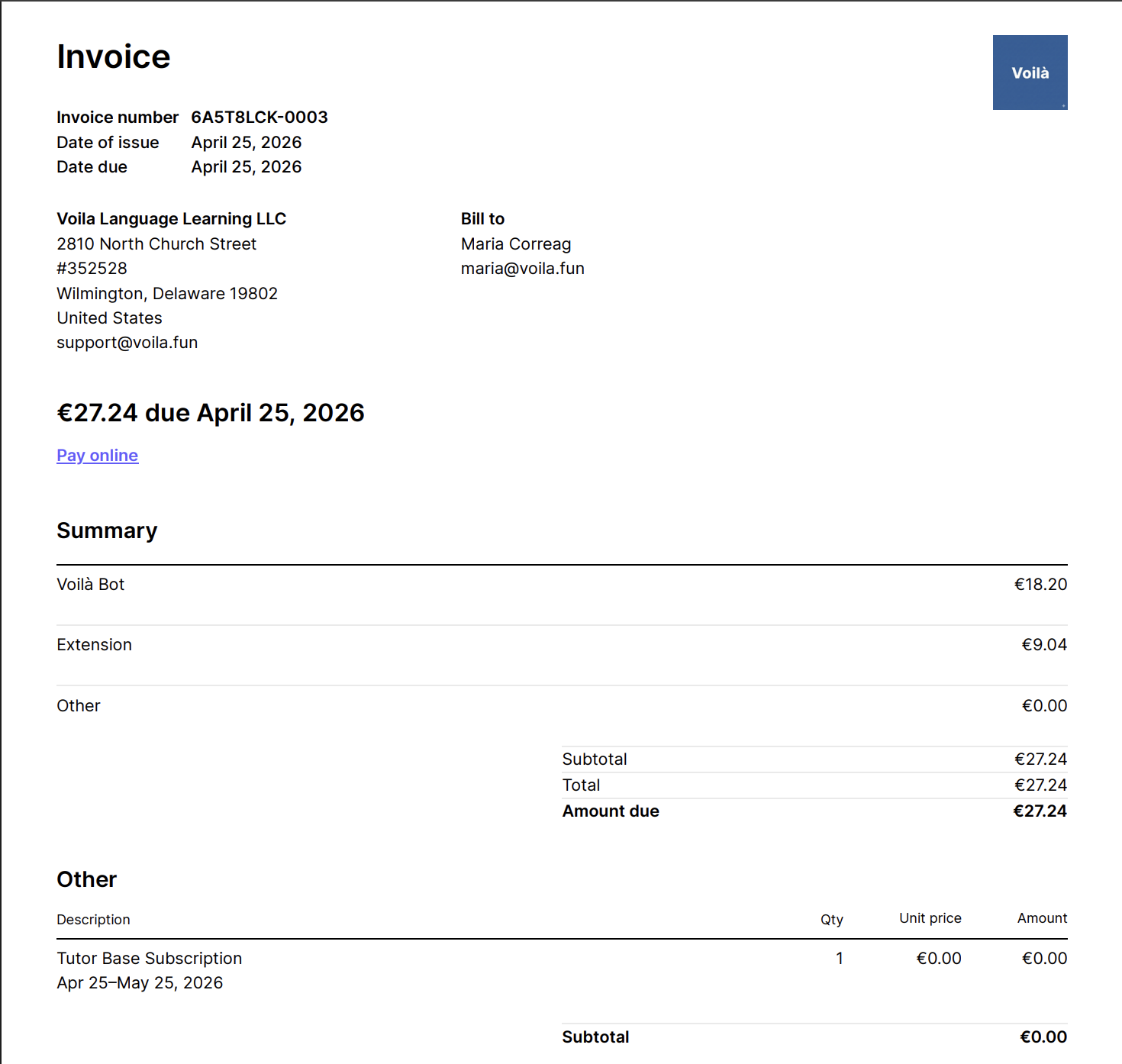
If a payment fails, your subscription status changes to past due. You can still access your account, but you should update your payment method to host lessons or use any paid feature within Voilà.
Choosing a Recording Method
You are not locked into a single method:
- Set a default recording method in Settings → Subscription (Bot or No Recorder).
- Override per lesson when creating or entering a session.
- Voilà Classroom is a meeting platform (1:1 in-app video), not a separate priced plan — it uses the same $1.99 / 50-minute rate as Bot.
Reducing Your Costs
- Use No Recorder for sessions where transcription is not needed — pay only the $1.50 base fee.
- Refer other tutors through the Referral Program to earn free months.
Subscription vs Lesson Payments
Your Voilà platform fee and student lesson payments are two separate systems:
| System | Purpose | Who pays |
|---|---|---|
| Subscription & Billing (this page) | Platform fee for session management and AI tools | You pay Voilà |
| Stripe Connect or PayPal (coming soon) | Lesson payments from students | Students pay you |
Both can be active simultaneously. Platform charges and lesson earnings are completely independent. You can connect Stripe or PayPal — never both. Stripe is recommended where it is available.
Related
- Referral Program — earn free months by referring tutors
- Stripe Connect Overview — accepting payments from students
- PayPal Overview — PayPal lesson payments (coming soon)
- In-Session Tools — recording methods and session features