跳到主要内容

Subscription & Billing

Voila charges per meeting, not a flat monthly fee. You only pay for the lessons you actually record.

Plans

Voila offers three recording plans. Each determines how your lesson is recorded and what tools are available during the session.

PlanWhat it doesFlat fee (0-30 min)Per minute after 30 minExample: 60-min lesson
ExtensionBrowser extension, audio-only recordingEUR 0.50EUR 0.0164~EUR 0.99
Voila Recorder (Bot)Bot joins your call, audio + video recordingEUR 1.00EUR 0.033~EUR 1.99
Voila (In-Platform)Full in-platform classroom with videoEUR 1.50EUR 0.0498~EUR 2.99

Extension

The browser extension records audio from your Google Meet session. Most affordable option. Ideal when audio transcription is sufficient.

Voila Recorder (Bot)

A recording bot joins your video call (Google Meet, Zoom, or Teams) and captures audio and video. Use when you want full video recording alongside transcription and AI analysis.

Voila (In-Platform)

The full Voila classroom runs inside the platform with built-in video, chat, board, and screen-sharing tools. Includes an extra participant surcharge for groups larger than 2:

  • Extra participant flat fee: EUR 0.15 per additional participant (first 30 participant-minutes)
  • Extra participant overage: EUR 0.0048 per participant-minute after 30

How Billing Works

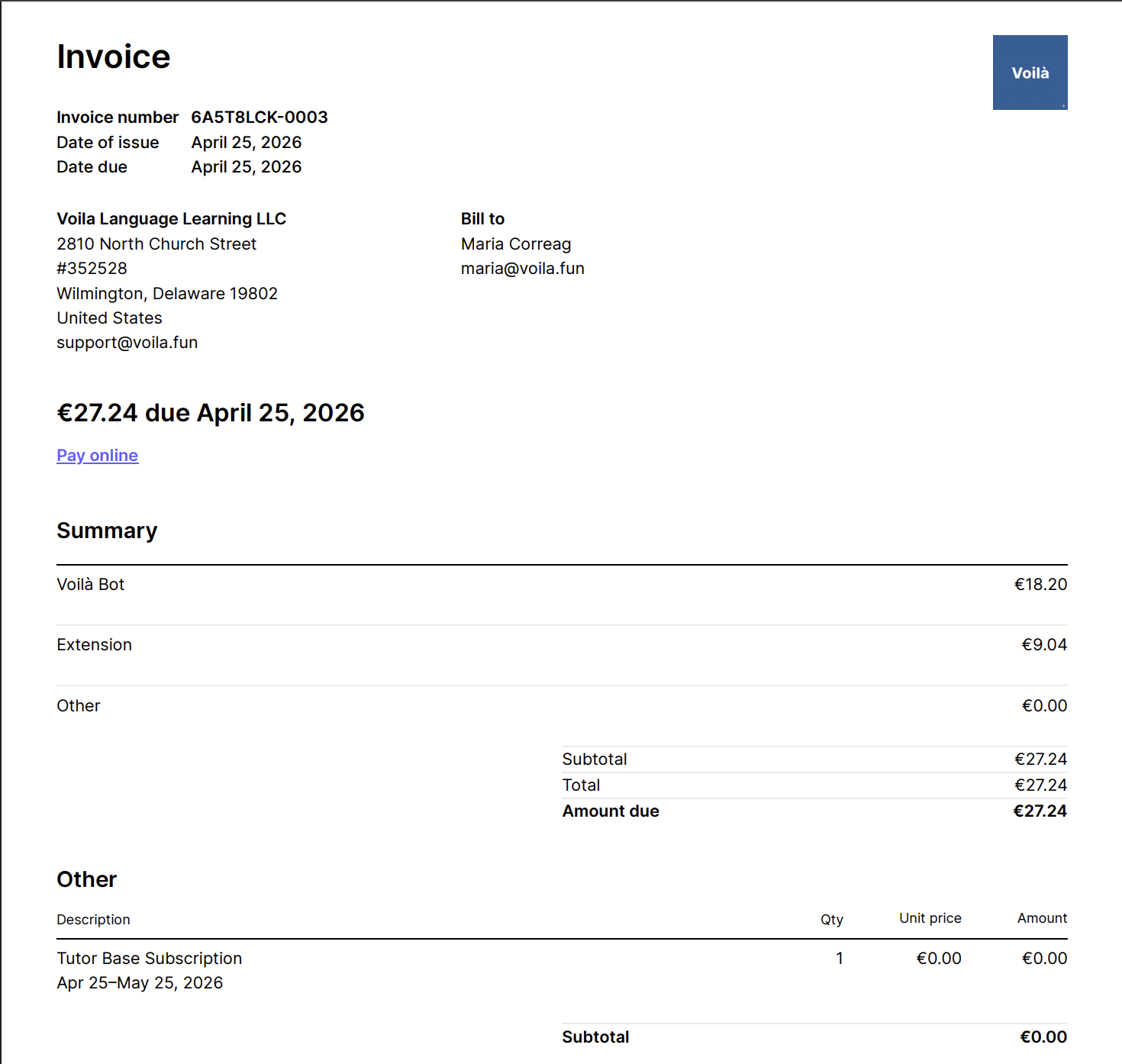
  • Each meeting is billed as a separate line item on your monthly Stripe invoice.
  • Pricing uses a flat fee for the first 30 minutes, then a per-minute overage after that.
  • Meetings shorter than 5 minutes are not billed.
  • Your monthly invoice lists every meeting individually with date, duration, plan, and cost.
  • View current usage and estimated charges at any time in Settings → Subscription.

Free Trial

Every new tutor account starts with a 30-day free trial:

  • Up to 100 free Bot and Extension meetings during the trial.
  • 1 free Voila (In-Platform) trial meeting to test the classroom.
  • No credit card required to start.

After the trial ends or your free meeting allocation is used, you need an active Stripe subscription to continue recording. Activating Bot or the In-Platform plan starts your subscription.

When You Are Charged

Stripe generates an invoice at the end of each billing cycle (monthly). All meetings from that cycle appear as individual line items. You are charged automatically via your payment method on file.

If a payment fails, your subscription status changes to past due. You can still host lessons, but you should update your payment method to avoid interruption.

Choosing and Changing Plans

You are not locked into a single plan:

  • Set a default recording method in Settings → Subscription (Bot, Extension, or In-Platform).
  • Override per lesson when creating or entering a session.
  • Enable or disable each plan independently — for example, use Extension for most lessons and switch to Bot for sessions that need video.

Reducing Your Costs

  • Use the Extension plan for routine lessons where audio is sufficient — roughly half the cost of Bot.
  • Refer other tutors through the Referral Programme to earn free months.
  • The flat fee covers the first 30 minutes, so shorter sessions cost the same as 30-minute ones.

Subscription vs Stripe Connect

Your Voila subscription and Stripe Connect are two separate systems:

SystemPurposeWho pays
Subscription & Billing (this page)Platform fee for recording and AI toolsYou pay Voila
Stripe ConnectLesson payments from studentsStudents pay you

Both can be active simultaneously. Subscription charges and lesson earnings are completely independent.